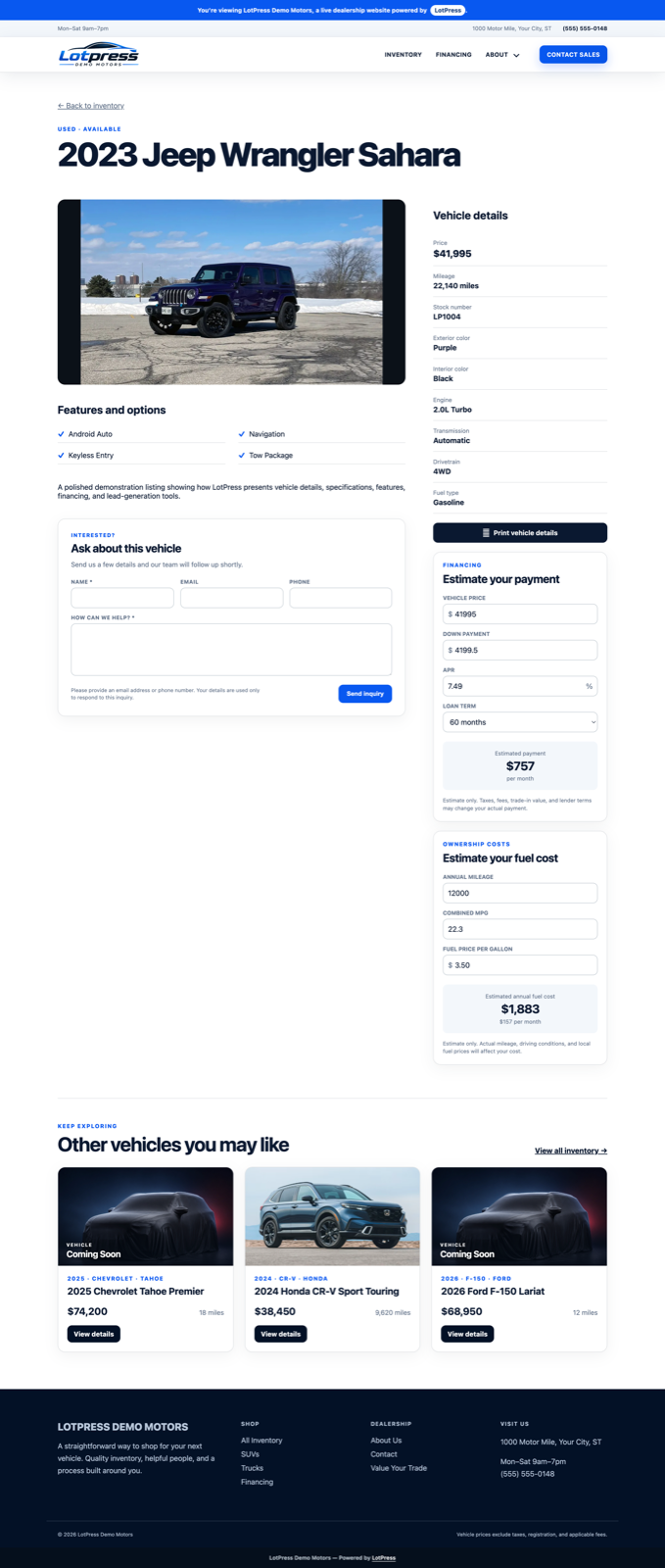
Open Shopper Tools settings
Open Inventory → Shopper Tools. Enable only the tools the dealership intends to support and review every heading, label, recipient, and default before launch.
Feature availability and layout visibility are separate. After enabling a tool, open Inventory → Vehicle Display and confirm its section is shown in an appropriate region.
Configure vehicle inquiries
Set the form heading, introduction, button label, and recipient email. A shopper must provide a name, message, and at least one contact method. The email includes the submitted details, vehicle title, stock number, and listing URL.
Messages pass to WordPress mail delivery and are not stored by Shopper Tools. Configure authenticated delivery and test it with the email and spam-protection guide.
Set calculator defaults
For the payment calculator, set the heading, default APR, loan term, and down-payment percentage. For the fuel-cost calculator, set the heading, annual mileage, and fuel price per gallon.
The fuel calculator is omitted automatically for electric vehicles.
Configure printable vehicle details
Set the print button label and maximum photo count. The printable sheet uses the vehicle record and dealership branding available on the site. Print a representative new, used, and reduced-price vehicle to verify page length, image quality, contact information, and pricing.
Verify the shopper experience
- Open a published vehicle in a private browser window.
- Test the inquiry form and confirm delivery.
- Change calculator inputs and confirm results update without a page reload.
- Open the printable sheet and inspect its print preview.
- Repeat at desktop and mobile widths.